Sticker PDFs are digital files containing designs ready for printing as individual stickers, offering convenience and customization for various projects.
Utilizing PDF format ensures universal compatibility, preserving design integrity across different devices and printers, ideal for both home and professional use.
The growing popularity of printable stickers, especially for planners and crafts, drives the demand for easily accessible and printable PDF sticker sheets.
What are Sticker PDFs?
Sticker PDFs represent a versatile digital format specifically designed for creating and printing stickers. Essentially, they are Portable Document Format (PDF) files containing multiple sticker designs arranged on a single sheet, ready for printing on sticker paper.
These files aren’t simply images; they often incorporate vector graphics, allowing for scalability without loss of quality. This is particularly useful for designs needing resizing. A key benefit is their compatibility – PDFs can be opened and viewed on virtually any device, ensuring accessibility.
Furthermore, Sticker PDFs frequently include crucial elements like cut lines and registration marks, streamlining the cutting process, especially when using cutting machines like Cricut or Silhouette. They are a convenient way to distribute and utilize sticker designs, offering a balance between design flexibility and printing practicality.
Why Use PDF for Stickers?
PDF format excels for stickers due to its universal compatibility, ensuring consistent appearance across different operating systems and devices. Unlike some image formats, PDFs preserve design integrity, preventing unwanted alterations during sharing or printing.
They efficiently handle both raster and vector graphics, crucial for detailed sticker designs. PDFs also support features like bleed and crop marks, essential for professional-looking sticker sheets. This ensures clean cuts and prevents white edges.

Moreover, PDFs are relatively lightweight, making them easy to share online. The format’s security features can also protect your designs. For projects involving print-and-cut machines, PDFs provide the necessary data for accurate cutting, making them the ideal choice for sticker creation.
Creating Sticker PDFs: Methods & Tools
Sticker PDFs can be generated using diverse methods, from professional design software like Illustrator and Photoshop to dedicated sticker maker applications and convenient online generators.
Using Design Software (Illustrator, Photoshop)
Adobe Illustrator and Photoshop offer unparalleled control when crafting sticker PDFs. These programs allow for intricate design work, precise placement of elements, and high-resolution image integration – crucial for professional-looking stickers.
With Illustrator, vector graphics ensure scalability without loss of quality, perfect for stickers of varying sizes. Photoshop excels in photo manipulation and adding artistic effects to your sticker designs. Both programs support PDF export with customizable settings.
Key considerations include setting the correct color mode (CMYK for printing), utilizing artboards for individual stickers, and incorporating bleed areas for clean cuts. These tools empower users to create complex and visually appealing sticker PDFs tailored to specific project needs, including those for Cricut Print and Cut projects.
Dedicated Sticker Maker Software
Dedicated sticker maker software streamlines the PDF creation process, offering features specifically designed for sticker production. These programs often include pre-designed templates, automated cutting line generation, and simplified layout tools, making them ideal for beginners or high-volume sticker creation.
Unlike general design software, these tools prioritize sticker-specific workflows. They frequently support features like kiss-cut sticker creation, allowing for stickers to be cut individually within a larger sheet. Many integrate directly with printing services or offer optimized PDF export settings for common sticker paper types.
While potentially less flexible than Illustrator or Photoshop, dedicated software provides a user-friendly experience and efficient results, particularly for projects like planner stickers and simple designs.
Online Sticker Generators
Online sticker generators provide a convenient, browser-based solution for creating sticker PDFs without requiring software downloads or installations. These platforms typically offer a range of pre-designed elements, fonts, and templates, allowing users to quickly customize stickers for various purposes.
Many generators allow uploading custom images and text, offering a degree of personalization. The resulting designs are then exported as PDF files, ready for printing. While often simpler in functionality than dedicated software, they are excellent for quick projects or users needing basic sticker designs.
These tools are particularly useful for creating Christmas Elf Stickers or February 2025 Planner Stickers, offering a fast and accessible way to personalize planners and crafts.
PDF Features for Optimal Sticker Printing

PDF settings like bleed, margins, and high resolution are crucial for professional-looking stickers, ensuring clean cuts and vibrant prints on any paper type.
Bleed and Margins
Bleed refers to extending your sticker design slightly beyond the intended cut lines. This is essential to prevent unwanted white edges after trimming, guaranteeing a professional finish. A standard bleed allowance is typically 1/8 inch (0.125″) around all edges of your sticker design within the PDF.
Margins, conversely, define the safe area within your design where critical elements should reside. Keeping text and important graphics within the margins prevents them from being accidentally cut off during the printing and cutting process.
Properly setting both bleed and margins in your design software before exporting to PDF ensures that your stickers print accurately and look polished, especially when using a print-and-cut machine like a Cricut or Silhouette. Ignoring these features can lead to frustrating results and wasted materials.
Resolution and Image Quality
For optimal sticker PDF printing, maintaining high resolution is paramount. A minimum of 300 DPI (dots per inch) is strongly recommended for all images and graphics within your sticker designs. Lower resolutions will result in pixelated or blurry prints, detracting from the overall quality.
When sourcing images, prioritize vector graphics whenever possible, as they scale without losing clarity. If using raster images (like JPEGs or PNGs), ensure they are high-resolution originals. Avoid enlarging low-resolution images, as this exacerbates pixelation.
Within your design software, confirm the color mode is set to CMYK for printing, ensuring accurate color reproduction. A high-quality PDF export setting will further preserve image fidelity, delivering vibrant and sharp stickers.
Cut Lines & Registration Marks
Precise cutting is crucial for professional-looking sticker PDFs, especially for kiss-cut designs. Include thin, clearly defined cut lines around each sticker element in your design software. These lines should be a distinct color (like magenta) that your printer can recognize.
Registration marks, small crosshairs or circles placed outside the sticker area, are essential for print-and-cut machines like Cricut or Silhouette. They help the machine accurately align the cut path with the printed design.
Ensure cut lines and registration marks are on a separate layer in your design file for easy control. When exporting to PDF, verify they are included and properly configured for your cutting device. Proper setup guarantees clean, accurate sticker cuts.
Printing Sticker PDFs
Printing sticker PDFs requires careful consideration of printer capabilities and material choices for optimal results.
Selecting the right paper – matte, glossy, or vinyl – significantly impacts sticker durability and appearance.
Adjusting print settings ensures vibrant colors and sharp details.
Printer Compatibility
Ensuring printer compatibility is crucial for successful sticker PDF printing. While most standard inkjet and laser printers can handle sticker paper, results vary significantly. Inkjet printers generally excel at producing vibrant colors, making them ideal for visually rich sticker designs, but may require waterproof sealant for durability.
Laser printers, conversely, offer superior resistance to fading and smudging, perfect for stickers intended for frequent handling. However, they may struggle with very bright or saturated colors. Printer drivers must be up-to-date to accurately interpret the PDF’s formatting and color profiles.
Before committing to a large print run, always perform a test print on a small section of your sticker sheet to assess color accuracy, print quality, and paper feed. Consider your printer’s maximum paper weight capacity, as sticker papers, especially vinyl, can be thicker than standard copy paper.
Paper Types for Stickers (Matte, Glossy, Vinyl)
Choosing the right paper is paramount for achieving desired sticker aesthetics and functionality. Matte sticker paper offers a non-reflective surface, providing excellent writeability and a softer look, ideal for planner stickers and journaling. Glossy sticker paper delivers vibrant colors and a shiny finish, enhancing visual appeal, but can be prone to fingerprints and glare.
Vinyl sticker paper stands out for its exceptional durability and water resistance, making it suitable for outdoor use or items exposed to moisture. It’s a fantastic choice for car decals or product labels. Vinyl also offers superior adhesion to curved surfaces.
Consider the intended use when selecting paper; glossy and vinyl are better for Cricut Print and Cut projects due to their smoother surface. Paper weight also matters – heavier papers generally provide better durability.
Print Settings for Best Results
Optimizing print settings is crucial for vibrant, high-quality sticker PDFs. Select the “Best” or “High” quality print setting in your printer dialogue box to maximize resolution. Ensure your printer driver is up-to-date for accurate color reproduction and compatibility. For sticker paper, choose the appropriate media type – often “Photo Paper” or a specific sticker paper setting if available.
Disable any color correction features that your printer may have, as these can alter the intended colors of your sticker designs. Perform a test print before printing a full sheet to verify color accuracy and alignment. Consider using a color profile specifically designed for your printer and sticker paper.

Always print at 100% scale to ensure stickers are the correct size.

Popular Sticker PDF Uses
Sticker PDFs are incredibly versatile, finding applications in planner customization, creative scrapbooking projects, and precise print-and-cut designs for machines like Cricut.
These printable stickers enhance organization, add personality to crafts, and enable unique, personalized sticker creations for diverse needs.
Planner Stickers (Monthly, Weekly, Daily)
Planner stickers in PDF format have revolutionized personal organization, offering a customizable and visually appealing way to manage schedules and track goals. These printable stickers cater to various planning styles, from detailed monthly overviews to focused weekly and daily layouts.
The convenience of PDF stickers allows users to print exactly what they need, when they need it, eliminating waste and providing flexibility. Designs range from functional appointment reminders and habit trackers to decorative elements that add personality and motivation.
Many free and premium sticker PDF resources are available online, specifically tailored for popular planner systems. Users can easily integrate these stickers into their existing planners, enhancing productivity and making planning a more enjoyable experience; The rise of printable stickers coincides with the growing popularity of bullet journaling and creative planning methods.

Scrapbooking & Crafting
Sticker PDFs are invaluable assets for scrapbookers and crafters, providing a versatile medium for embellishing projects and adding personalized touches. Printable stickers offer a cost-effective alternative to pre-made stickers, allowing for unique designs and custom color palettes.
The ability to print PDF sticker sheets on demand means crafters can easily replicate favorite designs or create themed collections for specific scrapbooking layouts. From seasonal motifs to celebratory elements, the possibilities are endless.
Many sticker PDF resources offer intricate designs and patterns perfect for card making, gift wrapping, and other paper crafts. Utilizing a home printer and quality paper, crafters can produce professional-looking stickers without the expense of outsourcing. The convenience and creative freedom offered by printable stickers make them a staple in the crafting community.
Cricut & Silhouette Print and Cut Projects
Sticker PDFs are exceptionally well-suited for Cricut and Silhouette machines utilizing the “Print then Cut” feature, enabling precise sticker creation. These machines read registration marks within the PDF to accurately contour-cut around printed designs.
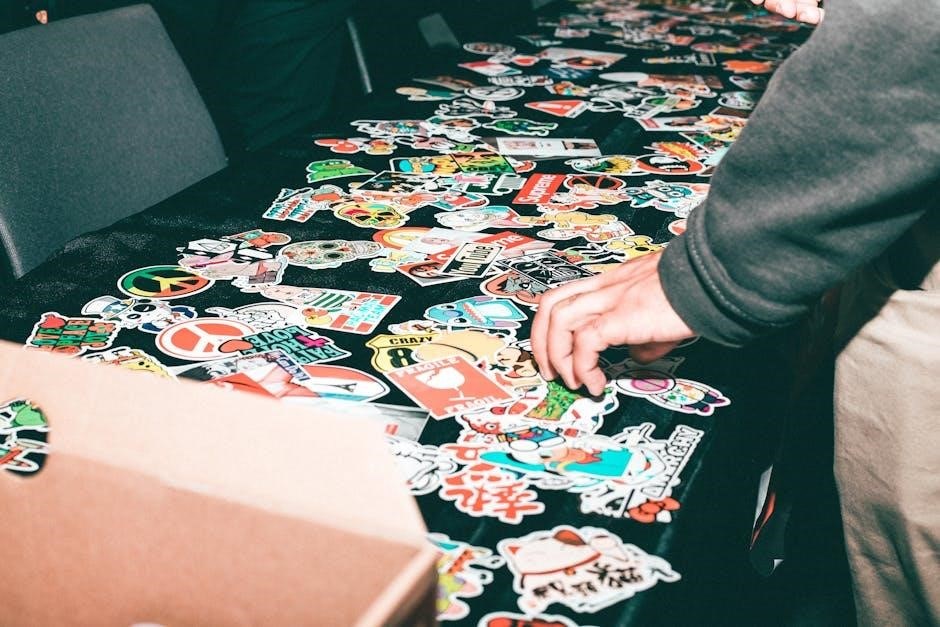
Users can import PDF sticker sheets directly into Cricut Design Space or Silhouette Studio, streamlining the process of creating custom stickers. This method allows for intricate shapes and designs that would be difficult to achieve with traditional cutting methods.
The availability of free and premium sticker PDF designs specifically formatted for print and cut projects expands creative possibilities. Whether crafting planner stickers, labels, or decorative elements, these machines paired with printable PDFs offer a powerful and efficient solution for sticker making.
Free Sticker PDF Resources
Numerous websites offer free printable sticker PDFs, including adorable Christmas Elf designs, and February 2025 planner stickers for various crafting needs.
Free sticker design templates are readily available, simplifying the creation of custom stickers for personal or small-scale projects, enhancing accessibility.
Websites Offering Free Printable Stickers
A wealth of online platforms generously provide free printable sticker PDFs, catering to diverse tastes and project requirements. Many crafting blogs and dedicated sticker websites regularly update their offerings with seasonal designs, like the charming Christmas Elf stickers perfect for festive planning and scrapbooking.
Pinterest serves as a fantastic visual discovery engine, linking to numerous free sticker resources hosted on various blogs and creator pages. Searching for “free printable stickers” yields a vast collection categorized by theme – from planners and journaling to kids’ activities and decorative elements.

Dedicated freebie websites also curate collections of printable stickers, often categorized for easy browsing. These resources frequently include both PNG and PDF formats, accommodating Cricut Print and Cut projects and standard printing methods. Exploring these sites unlocks a treasure trove of creative possibilities without any cost.
Free Sticker Design Templates
Numerous online resources offer free sticker design templates in various formats, including editable PDFs, simplifying the creation of custom sticker sheets. These templates often come pre-formatted with cut lines and bleed areas, streamlining the printing process for optimal results.
Canva, a popular graphic design platform, provides a selection of free sticker templates that users can customize with their own text, images, and colors. These templates are easily downloadable as PDF files, ready for printing.
Websites specializing in planner accessories frequently offer free sticker templates specifically designed for planners, such as the February 2025 planner stickers intended to aid in organization. Utilizing these templates saves time and ensures a professional finish, even for beginners.
Advanced Techniques & Considerations
Open CASCADE technology enables complex sticker generation, while kiss-cut stickers require precise design and cutting parameters for a professional finish.
Automating PDF sticker creation streamlines workflows, enhancing efficiency for large-scale projects and customized sticker production.
Using Open CASCADE for Sticker Generation
Open CASCADE, a powerful open-source geometry modeling kernel, presents a unique approach to sticker PDF generation, moving beyond traditional raster or vector design software limitations.
Its capabilities allow for the programmatic creation of intricate sticker shapes and arrangements, offering unparalleled control over design complexity. This is particularly useful for generating stickers with non-standard contours or requiring precise geometric relationships between elements.
By leveraging Open CASCADE’s parametric modeling features, developers can create sticker templates that are easily customizable, adapting to different sizes, colors, and text inputs. The kernel’s robust algorithms ensure accurate rendering and smooth curves, crucial for high-quality sticker prints.
Furthermore, Open CASCADE facilitates the automated generation of cut lines and registration marks directly within the PDF, streamlining the print-and-cut process for machines like Cricut and Silhouette. This integration minimizes manual adjustments and ensures precise sticker separation.
Creating Kiss-Cut Stickers
Kiss-cut stickers, distinguished by cuts that only go through the sticker layer and not the backing, require precise PDF preparation for successful print-and-cut execution.
Generating accurate cut lines is paramount; these lines must be vector-based and clearly defined within the PDF file. Software like Illustrator or dedicated sticker maker tools allow for the creation of these outlines, ensuring a clean separation during cutting.
Registration marks, strategically placed around the sticker designs, guide the cutting machine, aligning it with the cut lines. Proper placement and visibility of these marks are essential for accurate kiss-cutting.
When preparing the PDF, ensure the cut lines are on a separate layer, often designated as a “cut contour” or similar, for easy recognition by the cutting software. This meticulous preparation yields professional-looking, easily peelable kiss-cut stickers.
Automating Sticker PDF Creation
Automating sticker PDF creation streamlines the process, especially for large volumes or frequently updated designs, saving significant time and effort. Scripting languages and APIs can be leveraged to generate PDF files dynamically.

Integrating design software with automation tools allows for batch processing, where multiple sticker designs are automatically arranged onto a sheet and exported as a single PDF. This is particularly useful for personalized stickers.
The mention of Open CASCADE suggests a potential pathway for programmatic sticker generation, enabling complex shapes and precise cut lines to be defined and rendered directly into the PDF.

Furthermore, data-driven approaches can populate sticker designs with variable information, creating unique stickers for each recipient, all generated automatically from a central source.